Role: Founding Lead Product Designer (end-to-end UX + front-end implementation)
Company: Command Transportation → Echo Global Logistics
Timeframe: 2011–2016 (core build + later-stage expansion)
Clutch was a proprietary Transportation Management System built to support a high-volume freight brokerage floor. The goal wasn’t simply to “digitize” existing processes. It was to create an operating system for real-time decision-making, collaboration, and execution under pressure.
At its best, Clutch helped teams move fast without losing control of ownership, accountability, and risk, which is where most operations tools break down as scale increases.
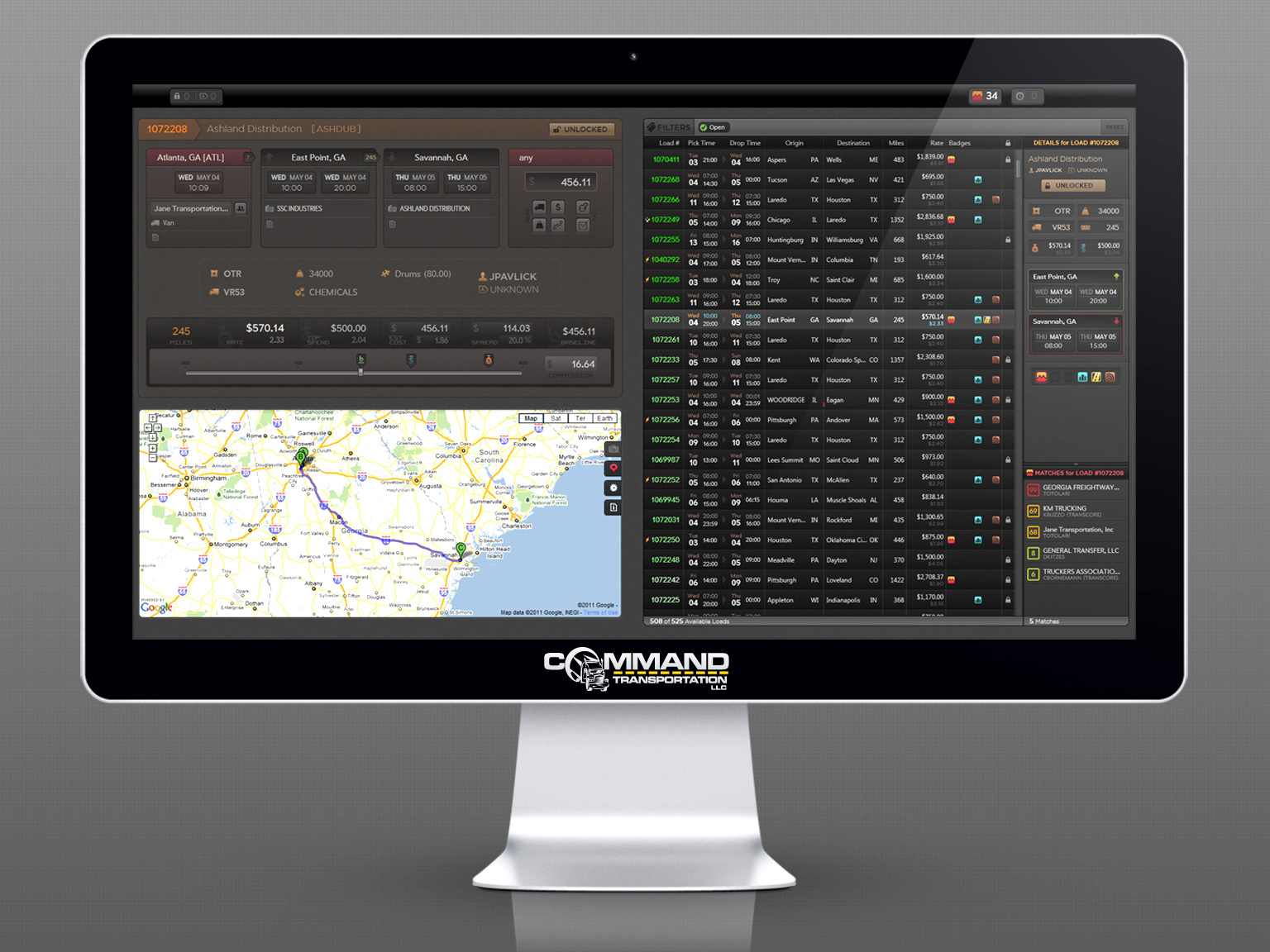
Scan the market. Open a load. Evaluate options. Act—without leaving the board.
The Problem
Brokerage work is a constant stream of time-sensitive decisions: matching capacity to freight, negotiating price, managing exceptions, and coordinating across teams.
From 2011–2016, before widespread automated tracking, execution depended on persistent manual communication with carriers and drivers. At the same time, the business demanded speed at every step.
A few realities shaped the design:
Work is high volume and interrupt-driven (calls, changes, exceptions).
The system must support power users (speed and density) and newer operators (guardrails and clarity).
Collaboration at scale creates failure modes: collisions, squatting, missed handoffs, and ambiguous ownership.
“Clean” UI often fails. The job demands signal-rich interfaces and fast control surfaces.
My Role
I was the founding design lead on a lean product team, owning the experience end to end—from workflow discovery with brokers and operations through interaction design and production UI.
In practice, I operated as a “design-technician.” I defined UX foundations including information architecture, interaction patterns, and visual language, and I also implemented large portions of the front end. This ensured dense, real-time workflows were fast, predictable, and shippable.
Open Board: An Attention System
Fast filtering + high-signal status cues
Fast filtering + high-signal status cues
The Open Board wasn’t “a table of loads.” It was an operational queue designed around a single question:
What matters right now, and what should I do next?
To support call-speed work, the Open Board prioritized fast filtering, high-signal status cues, and scannability. Instead of hiding complexity, it made constraints visible in compact ways so reps could triage hundreds of loads without losing context.
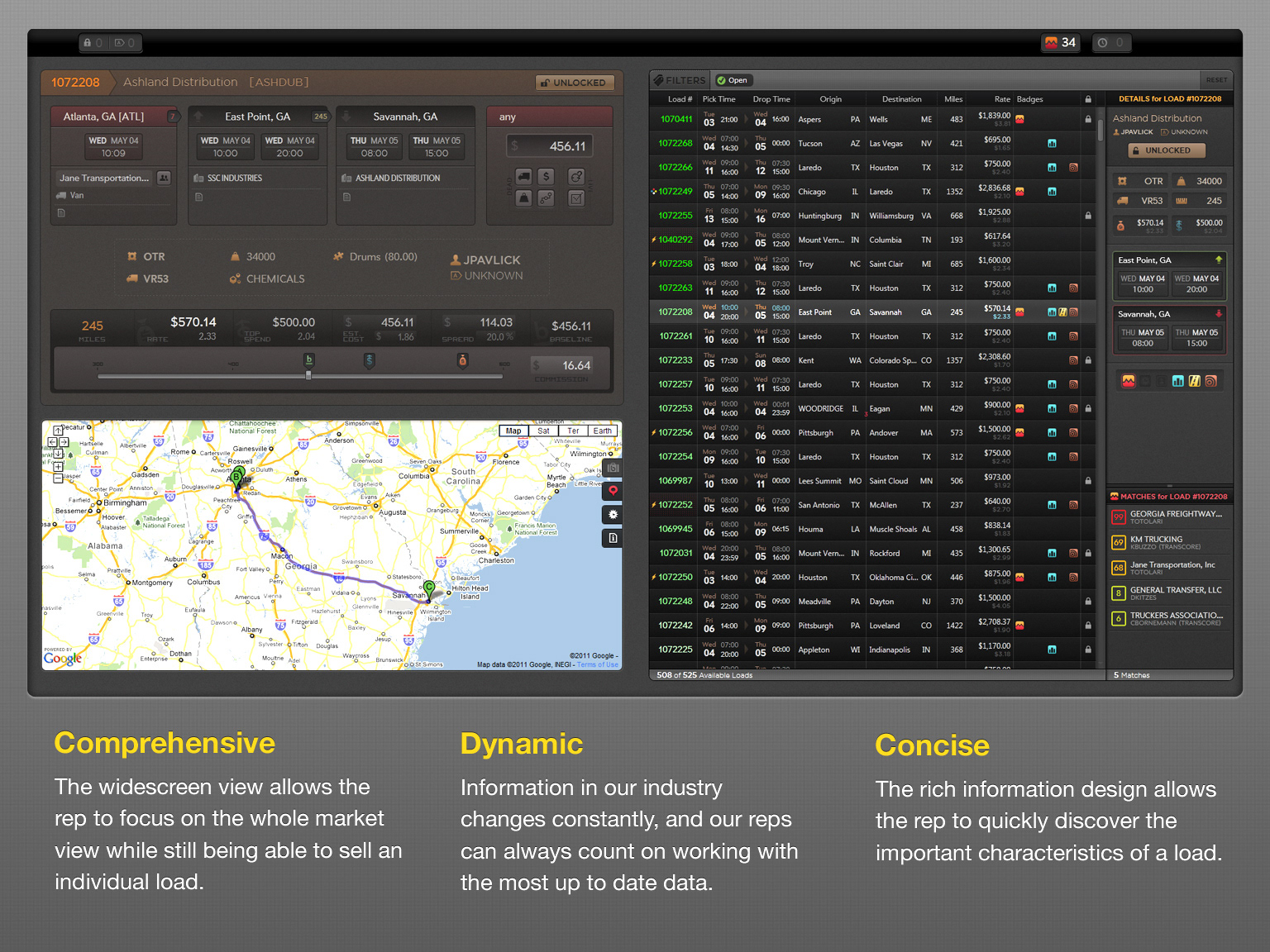
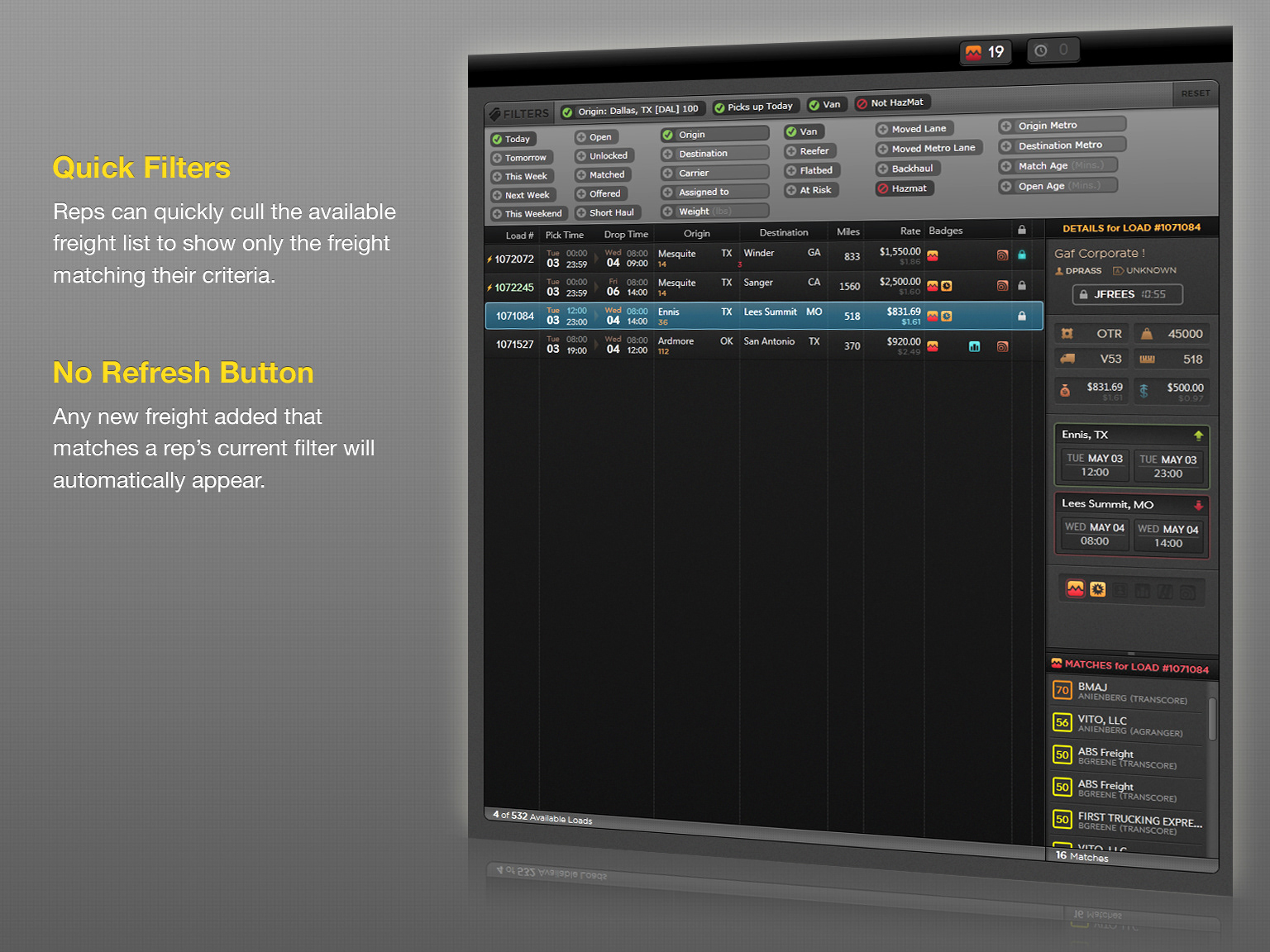
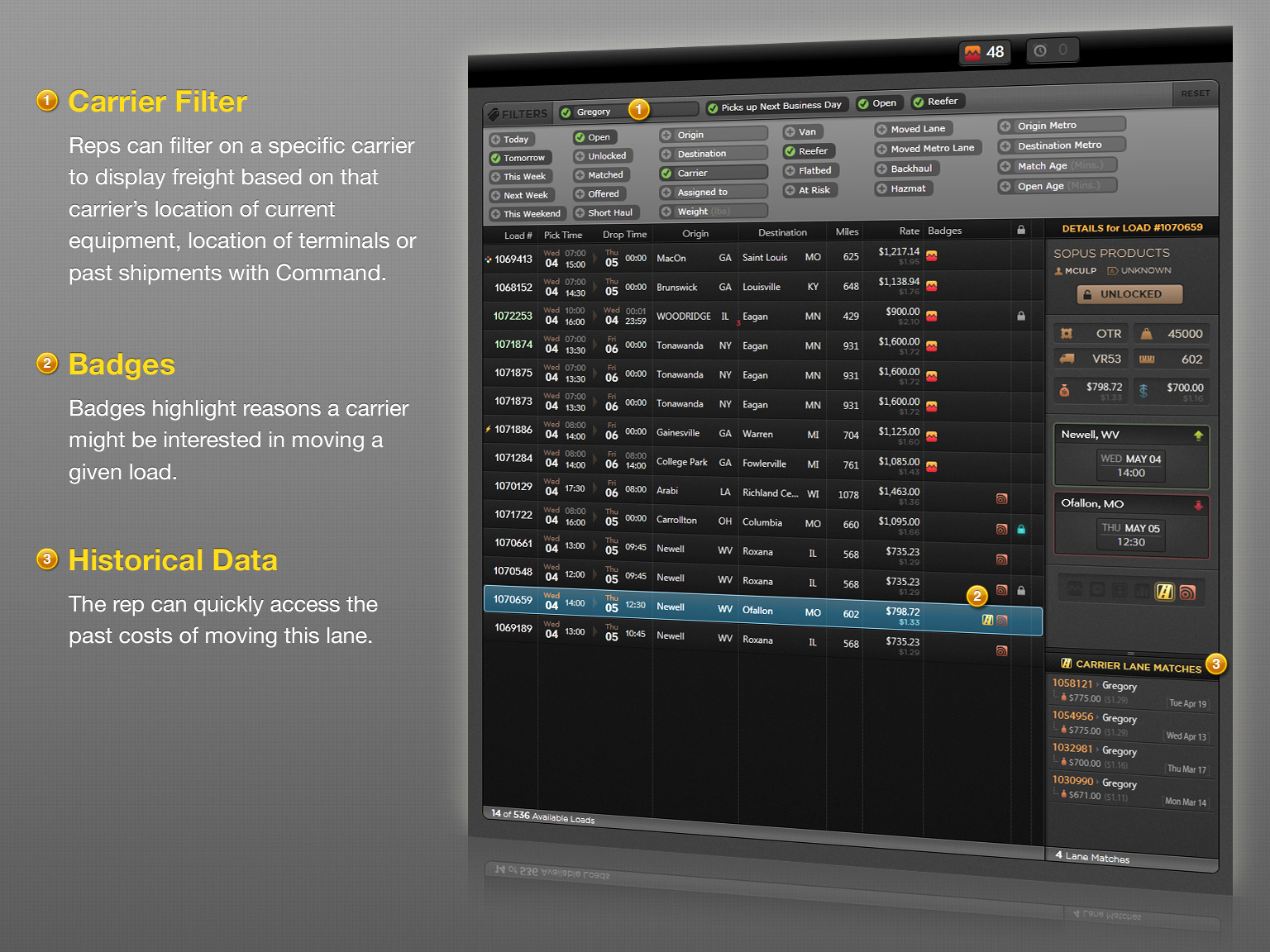
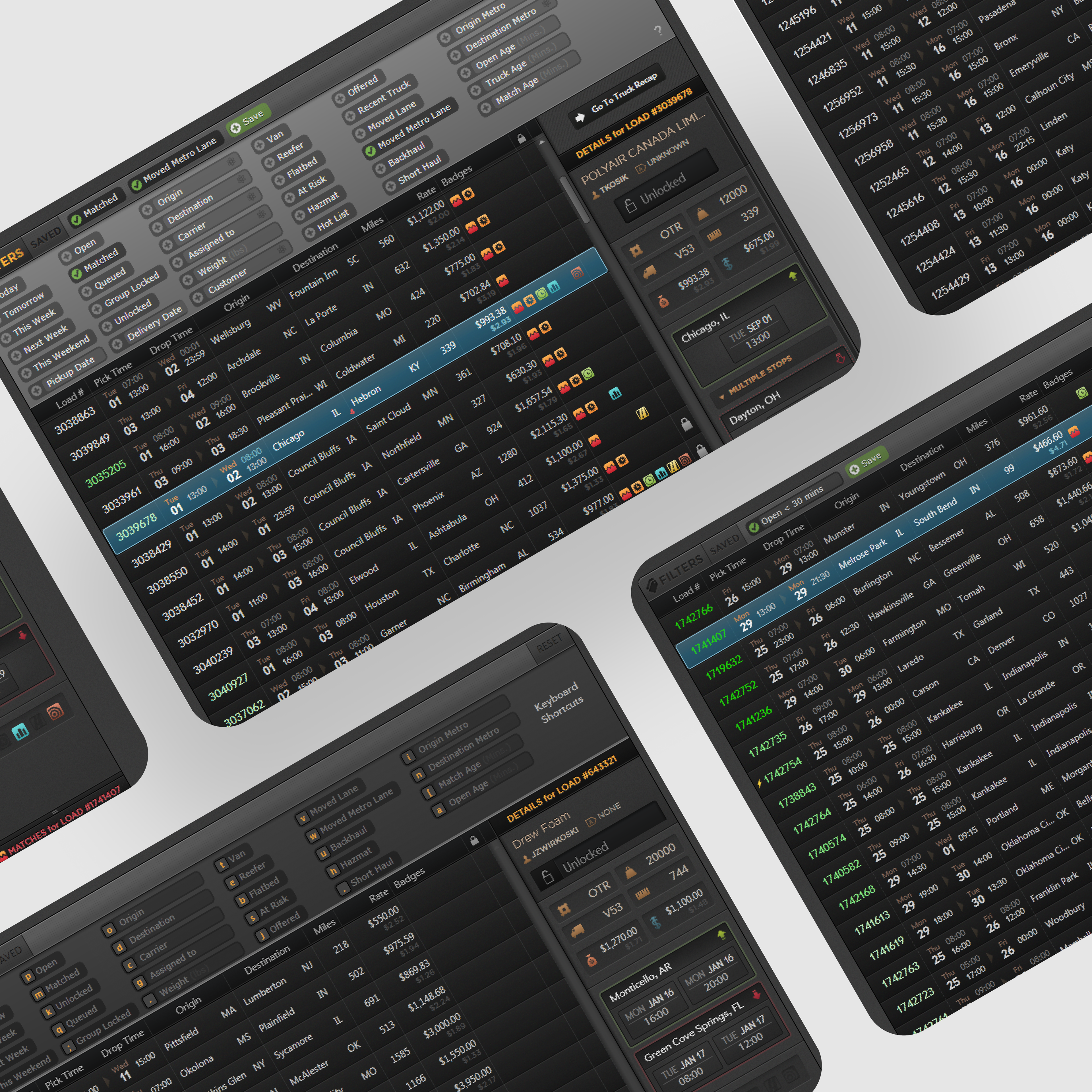
Keyboard-first filtering turns a firehose of freight into an intention-driven queue.
Key design moves:
Filtering as the interaction model: reps could rapidly slice the market view by intent (e.g., matched, queued, group-locked/unlocked), not just by raw attributes.
Keyboard-first speed: shortcuts and saved filters reduced mouse travel and helped power users stay in flow.
Signal density: badges and visual cues conveyed urgency and constraints (Must Go, risk flags, special handling, etc.) without requiring deep inspection
Ownership & Handoffs: Locking at Scale
Prevent collisions without slowing the floor
Prevent collisions without slowing the floor
As the brokerage scaled, the most expensive problems weren’t UI problems, they were coordination problems:
• two reps working the same load
• unclear ownership
• “load squatting”
• and messy handoffs between teammates
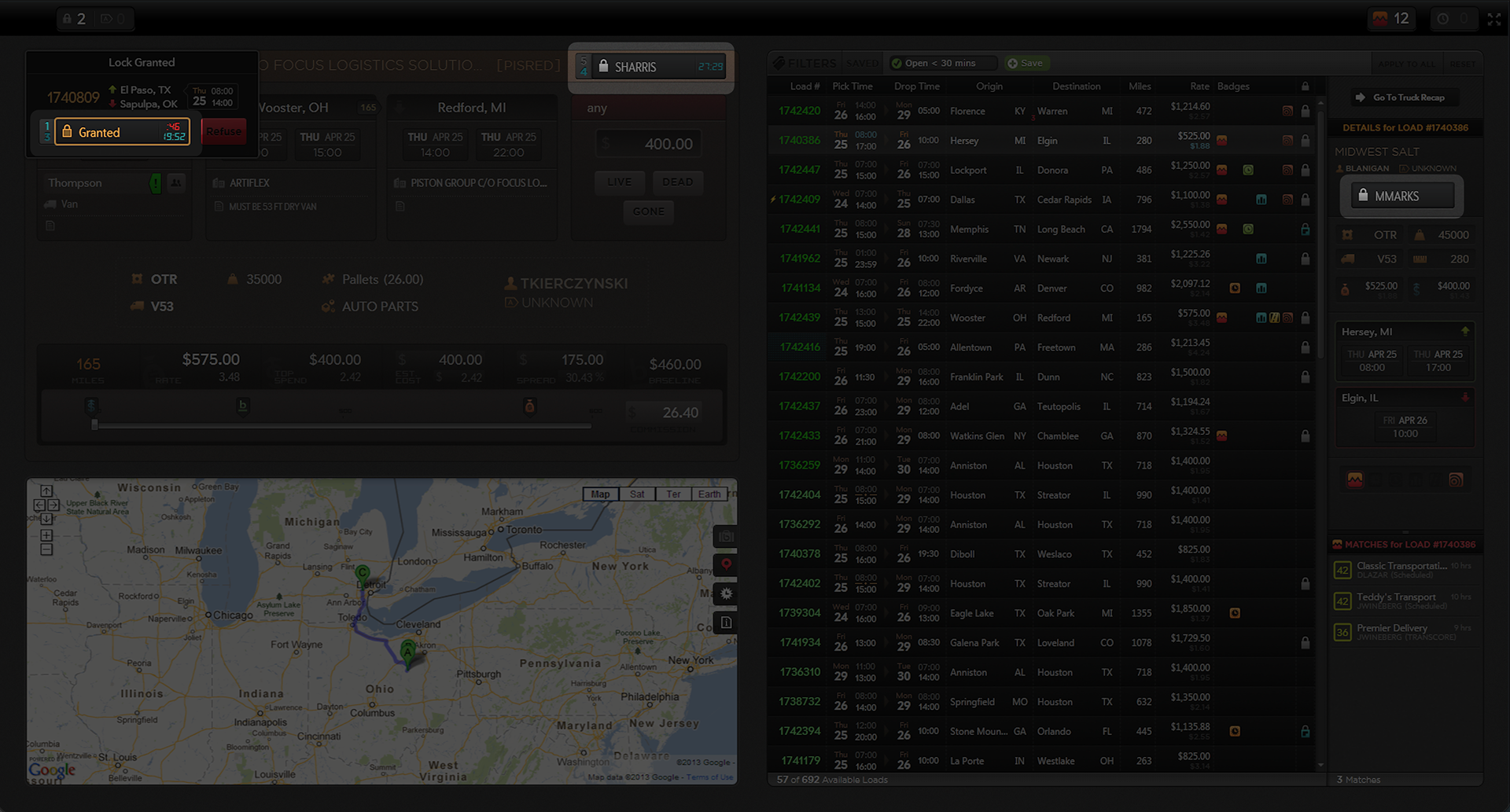
We introduced an explicit ownership model using a Lock mechanic with timed rules (a “shot clock”) to keep work fair and moving. Ownership state was visible everywhere it mattered, both while scanning and while working a load.
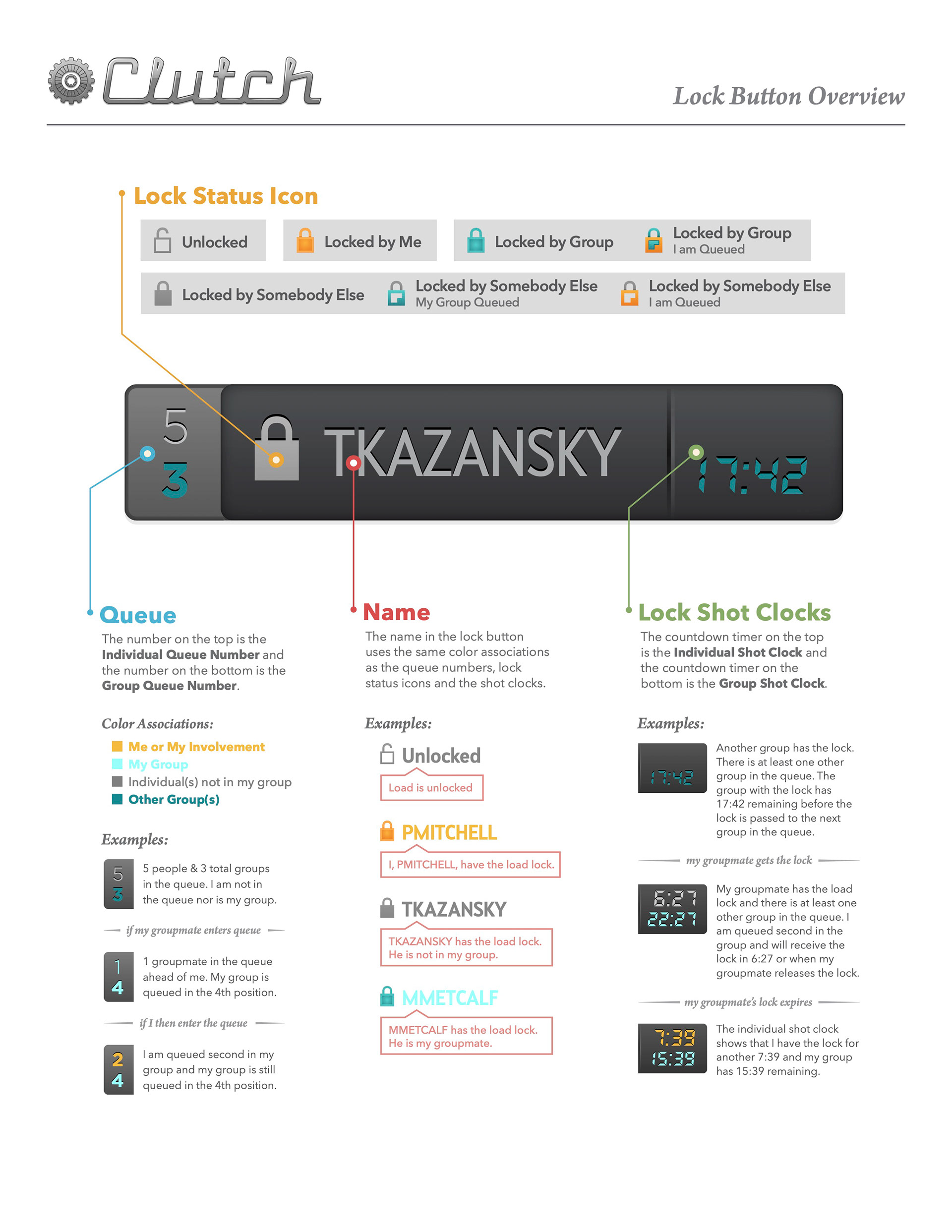
Key design moves:
Legible state language: “Me / My group / Someone else” communicated clearly through color and icon rules
Timed governance: individual and group timers prevented indefinite holds and encouraged action or release
Cross-view persistence: ownership lived in the workflow, not buried in a modal
Outcome:
Reduced collisions and ambiguity, improved handoffs, and made coordination feel built in rather than negotiated.
Sell Load: Decision Support in the Moment
Lane history + pricing guidance in context
Lane history + pricing guidance in context
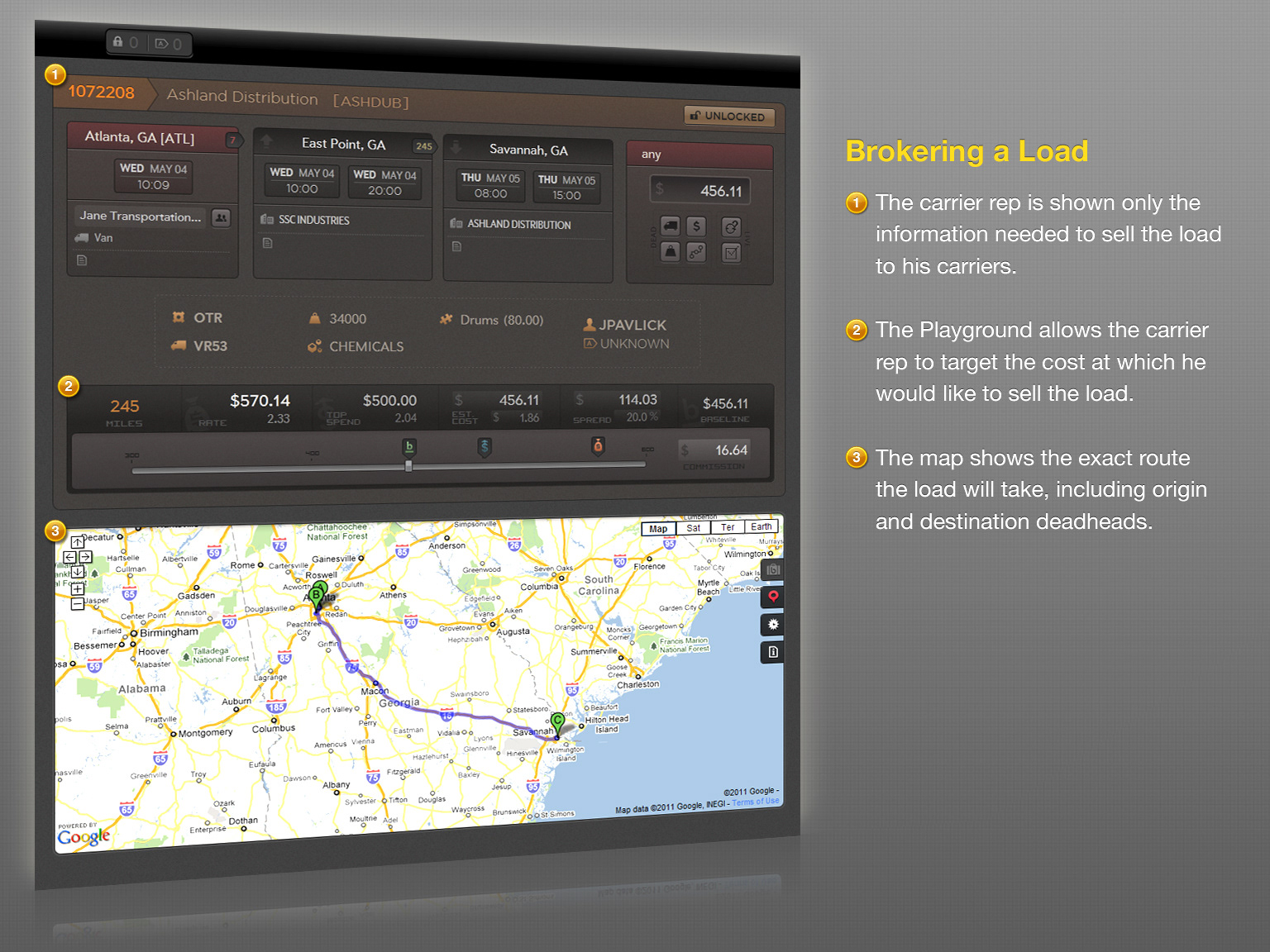
Sell Load was a high-intent workspace designed to help a rep move from “I’m looking at this load” to “I booked this load” without bouncing between tools.
The view combined route details, carrier options, pricing guidance, and history while keeping the primary workflow fast and focused through progressive disclosure.
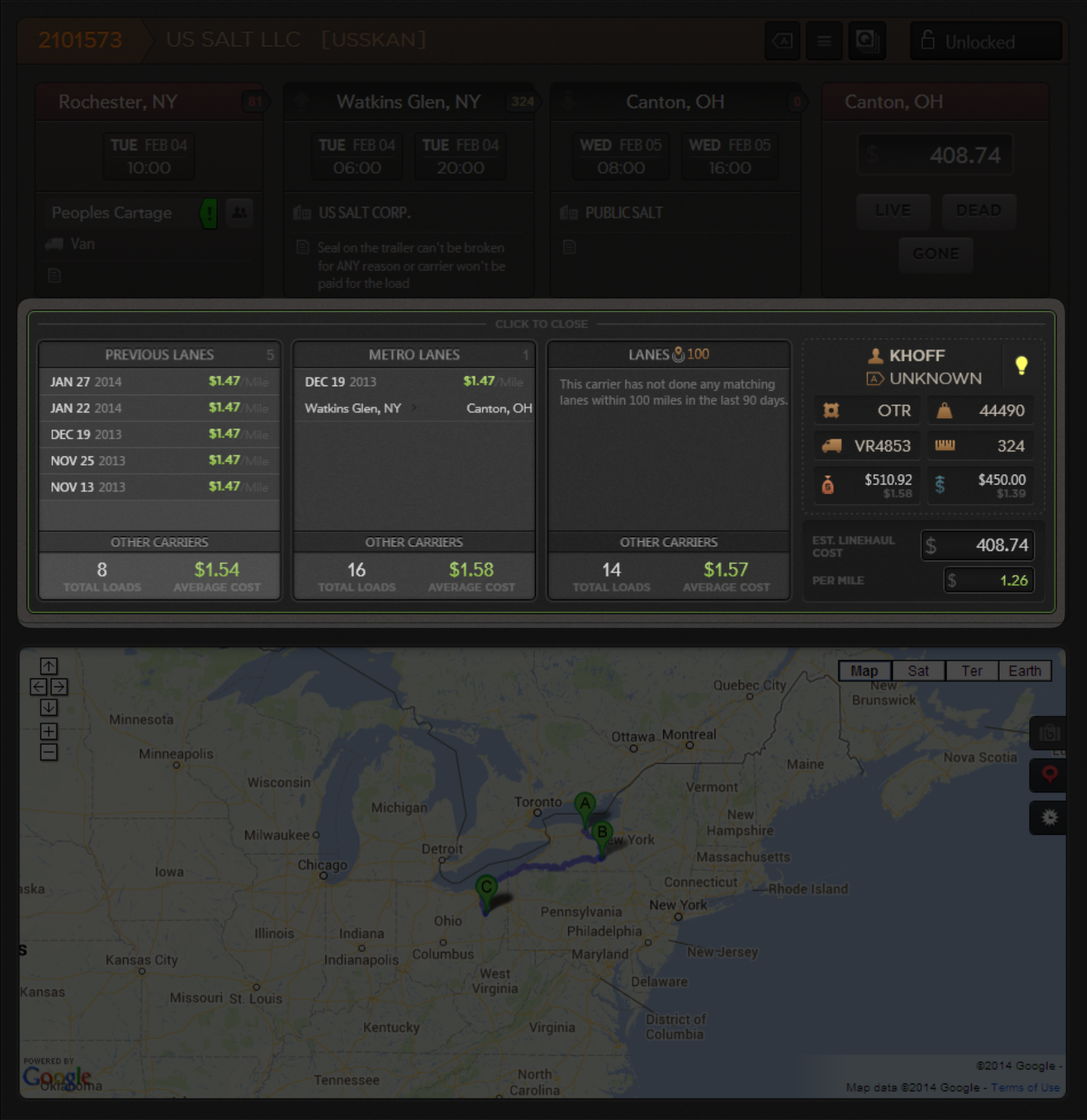
On-demand pricing guidance blends carrier history with market baselines
Key design moves:
Pricing guidance in context: reps compared carrier-specific lane history against market averages to negotiate confidently
Similarity buckets: exact lane vs metro lane vs radius-based history made sparse data usable (real lane matches aren’t always abundant).
Progressive disclosure: deeper data stayed accessible without overwhelming the main workflow
Outcome:
Reduced “hold on while I check” moments during calls and improved consistency in quoting behavior.
Carrier Overview: Managing a Carrier Portfolio
Team-aware carrier stewardship
Team-aware carrier stewardship
Clutch wasn’t only about loads. It also needed to support the long-running, relationship-driven reality of brokerage. Reps manage a book of carriers, build trust, track compliance, and protect “ownership.”
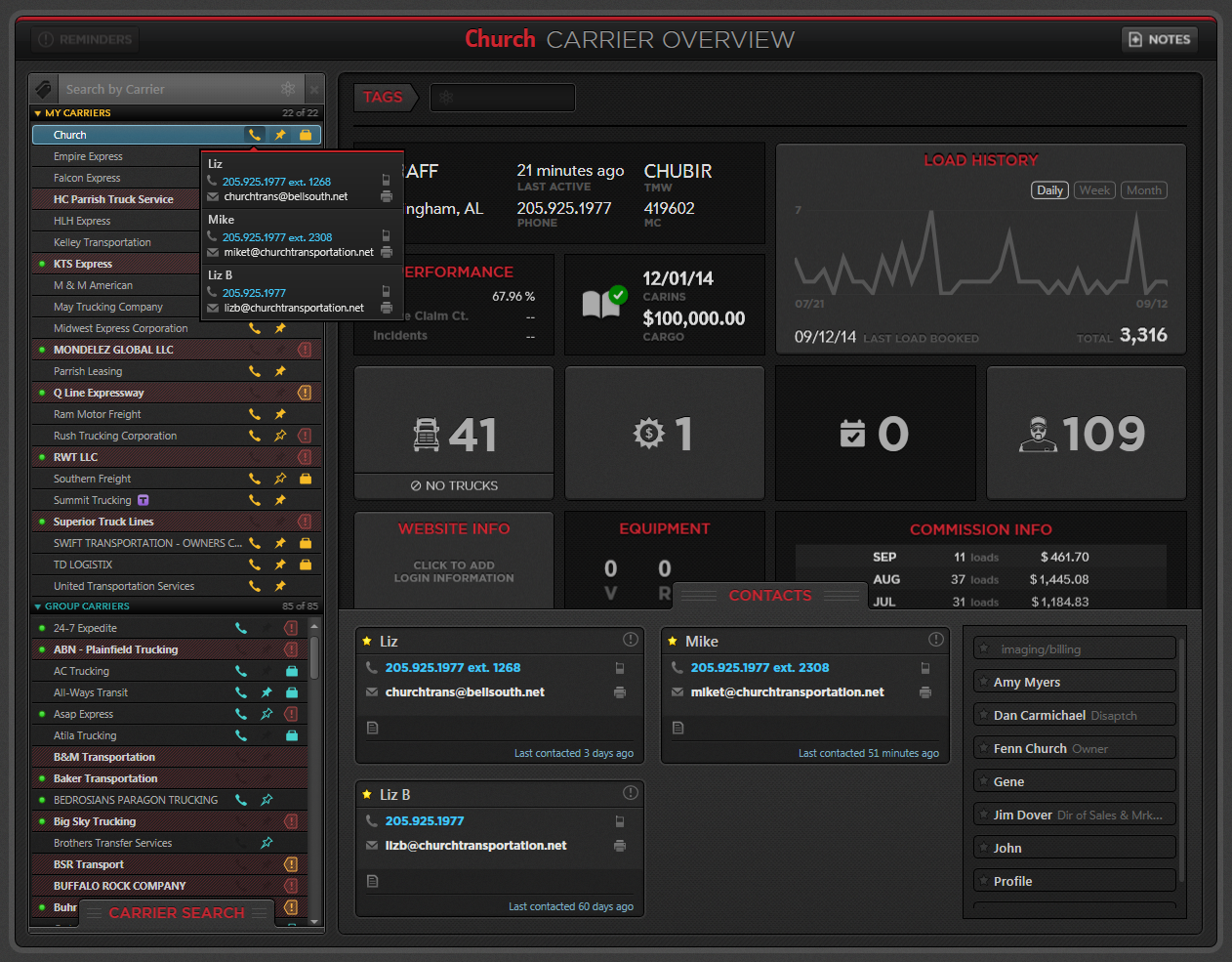
Carrier Overview provided a home base where reps could work through their portfolio each day with strong at-a-glance awareness for both themselves and their team.
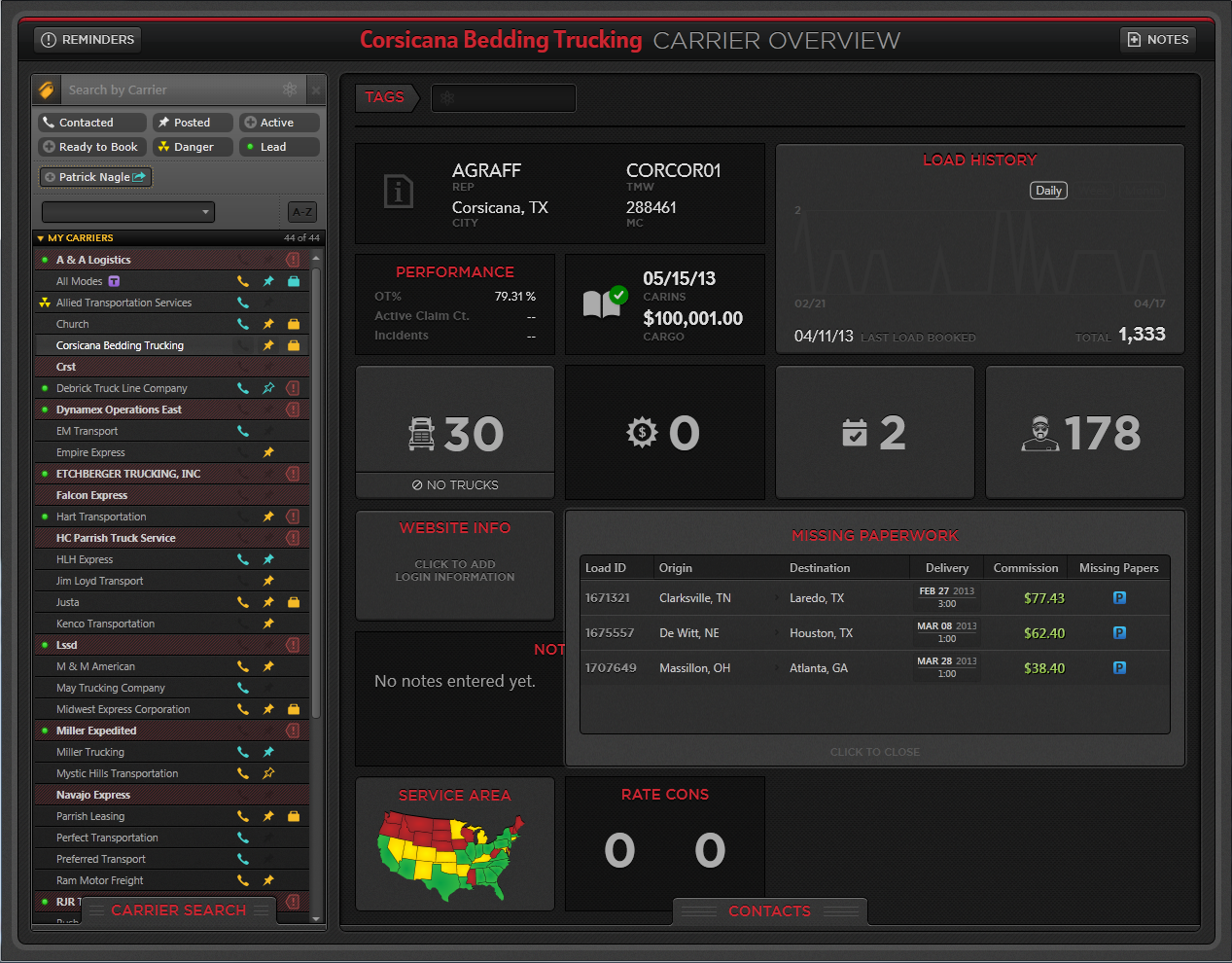
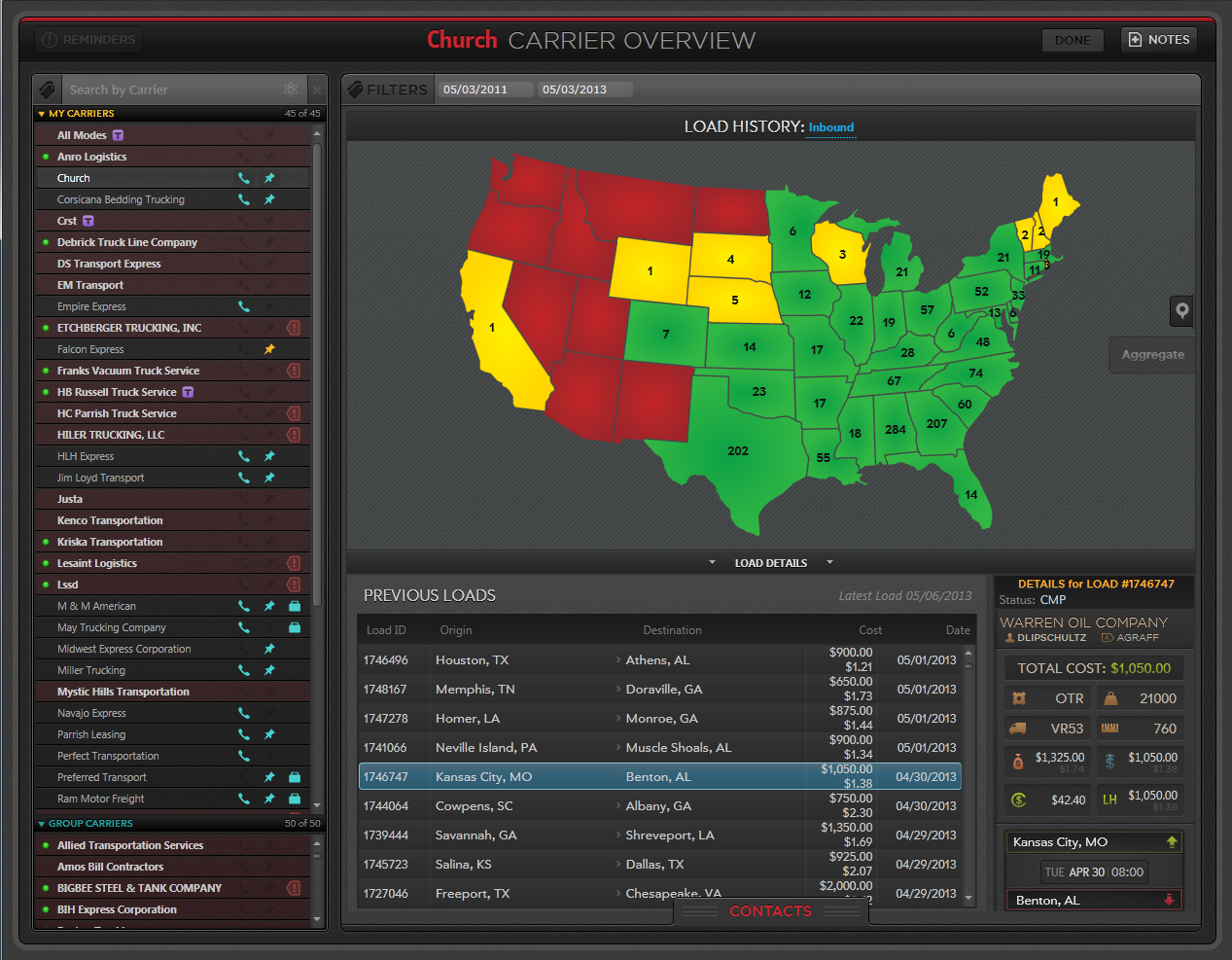
Key design moves:
High-signal iconography: the carrier list functioned as a status board, encoding daily activity such as calls, postings, and bookings
Portfolio visibility: reps could filter, view other reps’ carrier lists, and share filtered views—important in team-based brokerage operations.
Deep carrier context: selecting a carrier revealed a wide, actionable profile: performance, insurance, equipment, load history, offers, scheduled trucks, paperwork status, contacts, notes, and more.
Outcome signal:
Improved proactive relationship management and reduced context switching across systems.
Capacity Intelligence: Truck Posting and Matching
Ingest messy capacity → instant matches
Ingest messy capacity → instant matches
Knowing where capacity exists—today, right now—is essential to effective matching. Truck Posting was designed as a fast ingestion tool that translated messy, unstructured inputs into structured trucks and immediately surfaced potential matches.
This became one of the highest-leverage workflows in Clutch. Reps could respond to carriers with viable options while still on the phone.
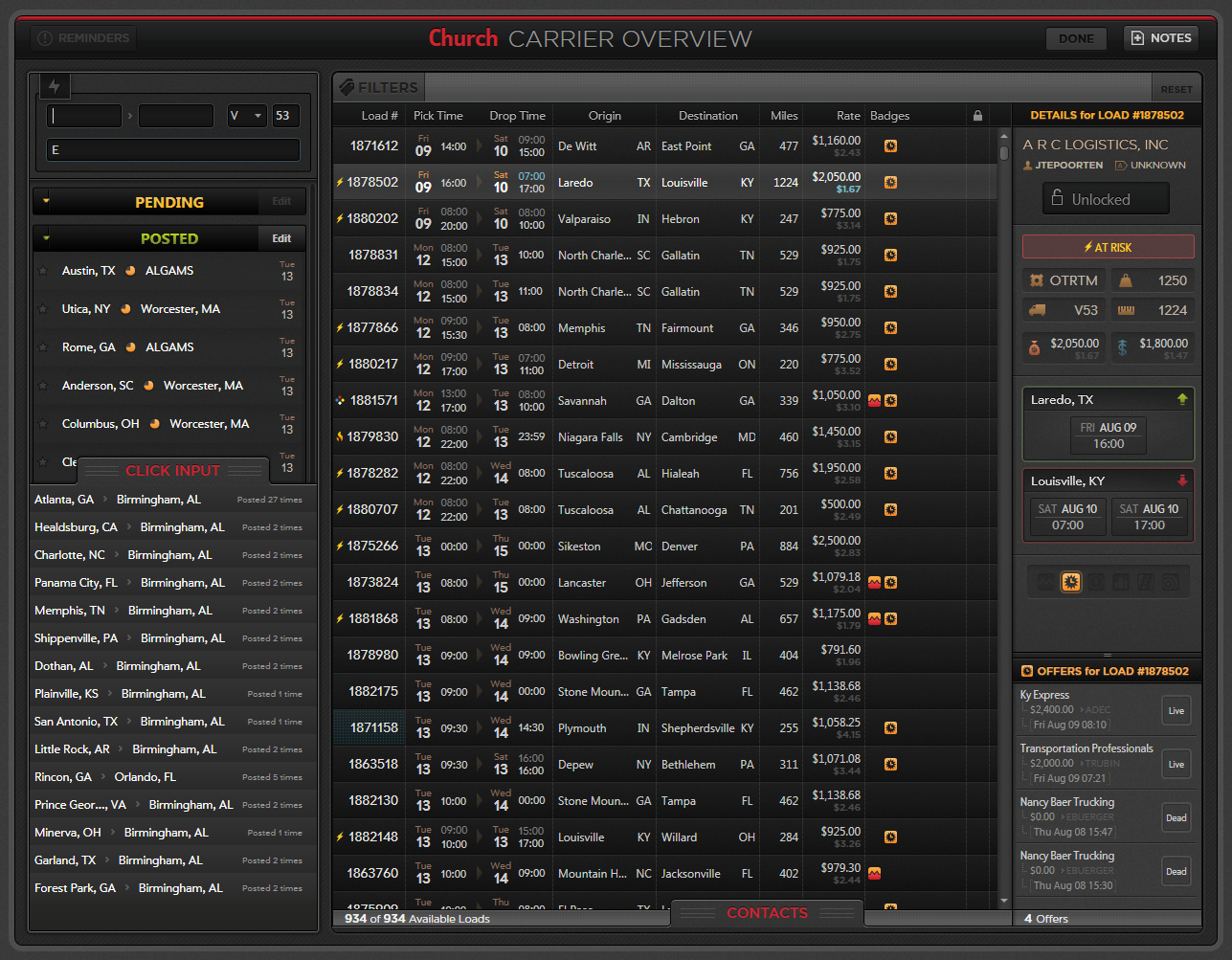
Structured shorthand + staging turns messy capacity into matchable trucks in seconds.
Key design moves:
Ingestion from anywhere: emails, spreadsheets, and freehand notes reflected real brokerage workflows
Staging model (Pending vs Posted): created operational safety and control; reps could review/confirm before trucks affected matching
Immediate matching: surfaced likely loads as soon as trucks were posted
Multiple sources: supported third-party lists, scheduled trucks, and repeat patterns
Outcome:
Faster conversations, better matches, and stronger shared awareness of capacity.
Assignment Queue: Intentional Load Allocation
Route work to best-fit reps
Route work to best-fit reps
As the brokerage grew, “first come, first grab” left margin on the table and encouraged idle scanning behavior.
Rather than rebuilding all customer workflows, we focused on a high-leverage moment: routing loads to the rep most likely to cover them quickly and profitably.
Assignment Queue introduced a structured allocation model. Customer reps built a “batting order” using lane history and matching context.
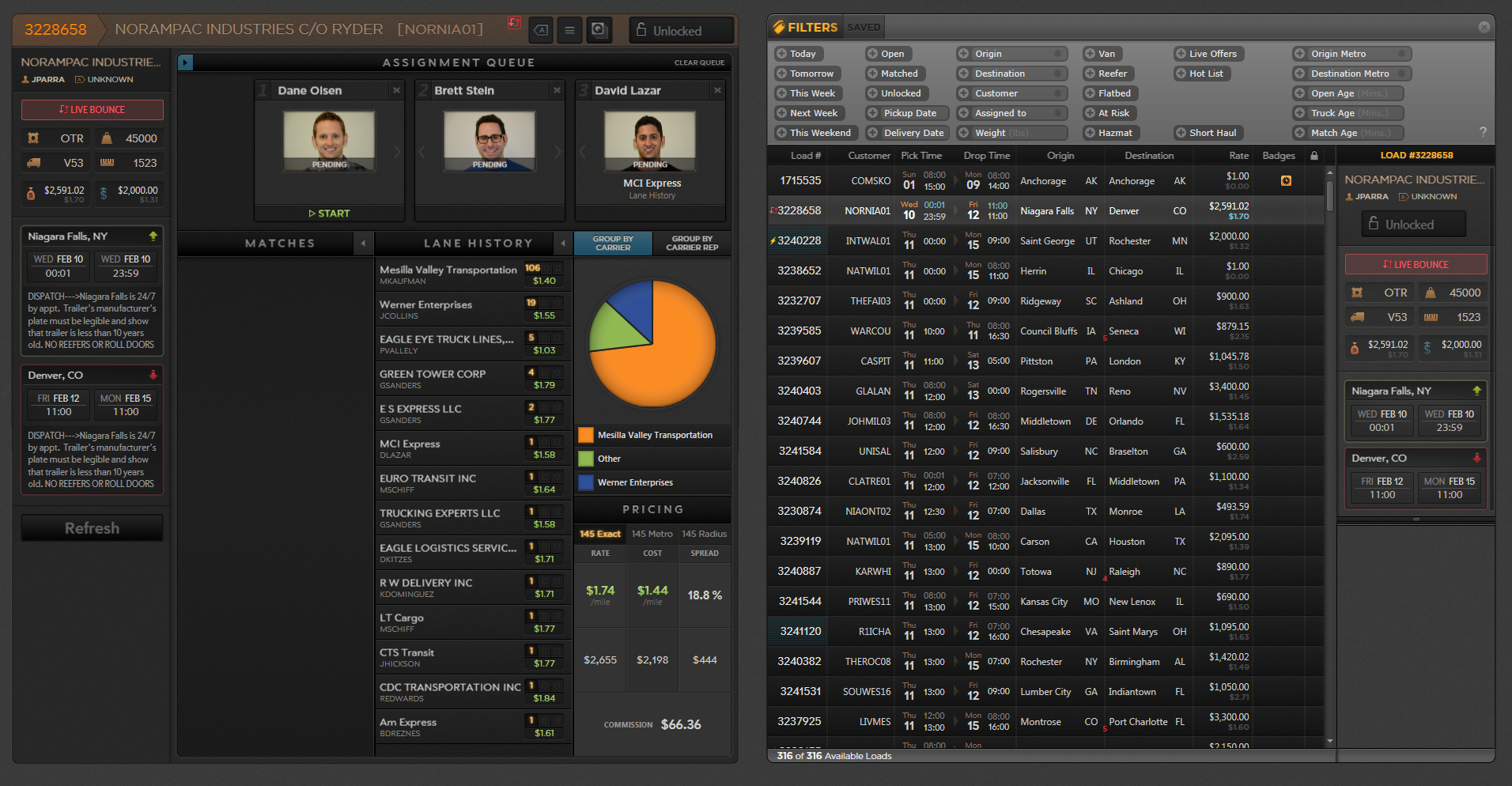
A simple queue mechanic changed incentives: best-fit reps get first crack before the load hits the open market.
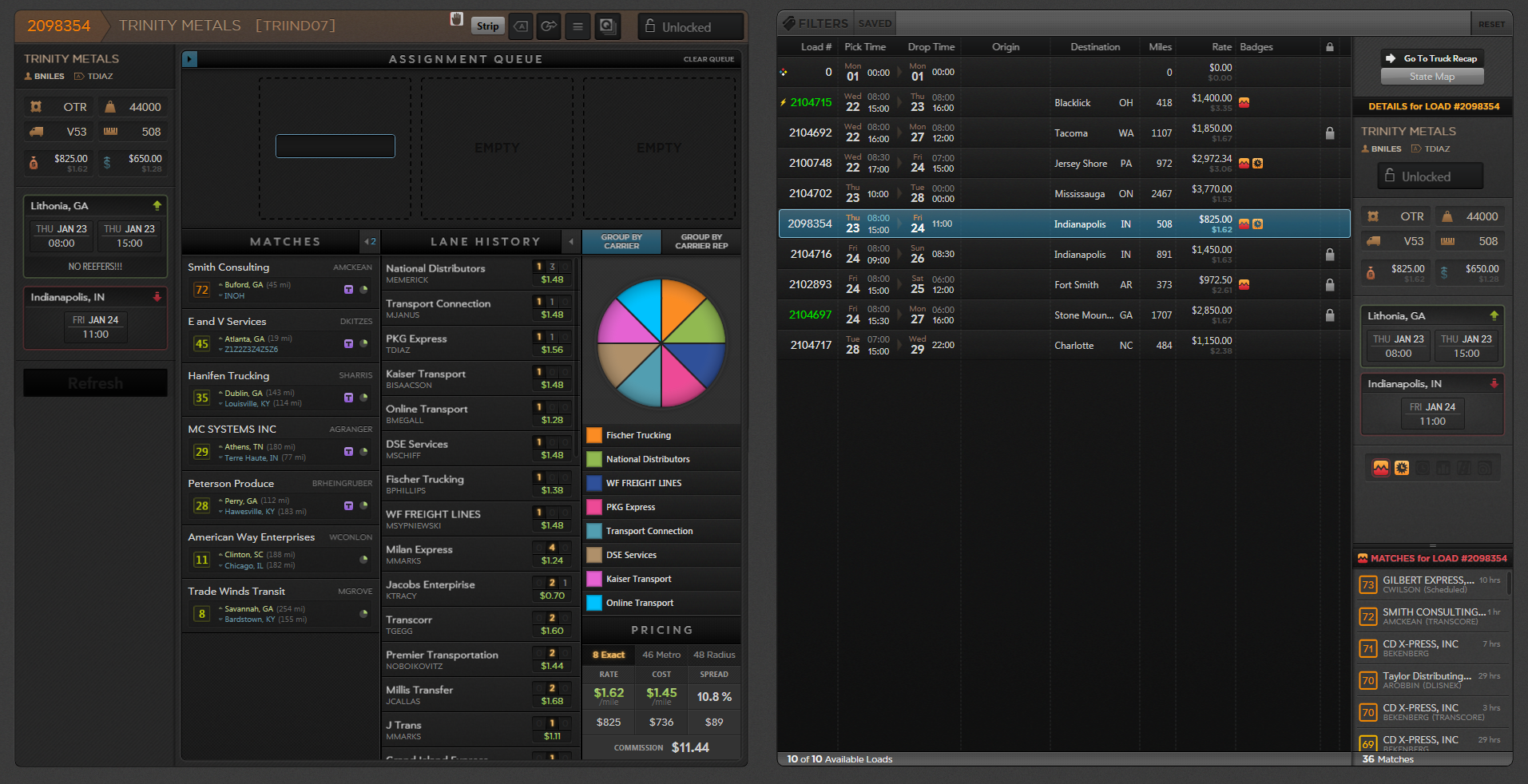
How it worked:
Customer reps reviewed match and lane history context (exact / metro / radius) to understand who moved the lane and at what rates.
They created a ranked assignment queue.
Carrier reps received a timed window to act.
If dismissed or timed out, the load rolled to the next rep.
Outcome:
Reduced “shark tank” behavior, improved speed-to-coverage, and protected margin through intentional routing.
Dispatch: Guided Execution and Audit Trail
Route work to best-fit reps
Route work to best-fit reps
After booking, dispatch owned execution: collecting driver details, tracking ETAs, confirming shipment details, and preventing service failures.
Before automated tracking, this work depended on consistent, high-context human inputs.
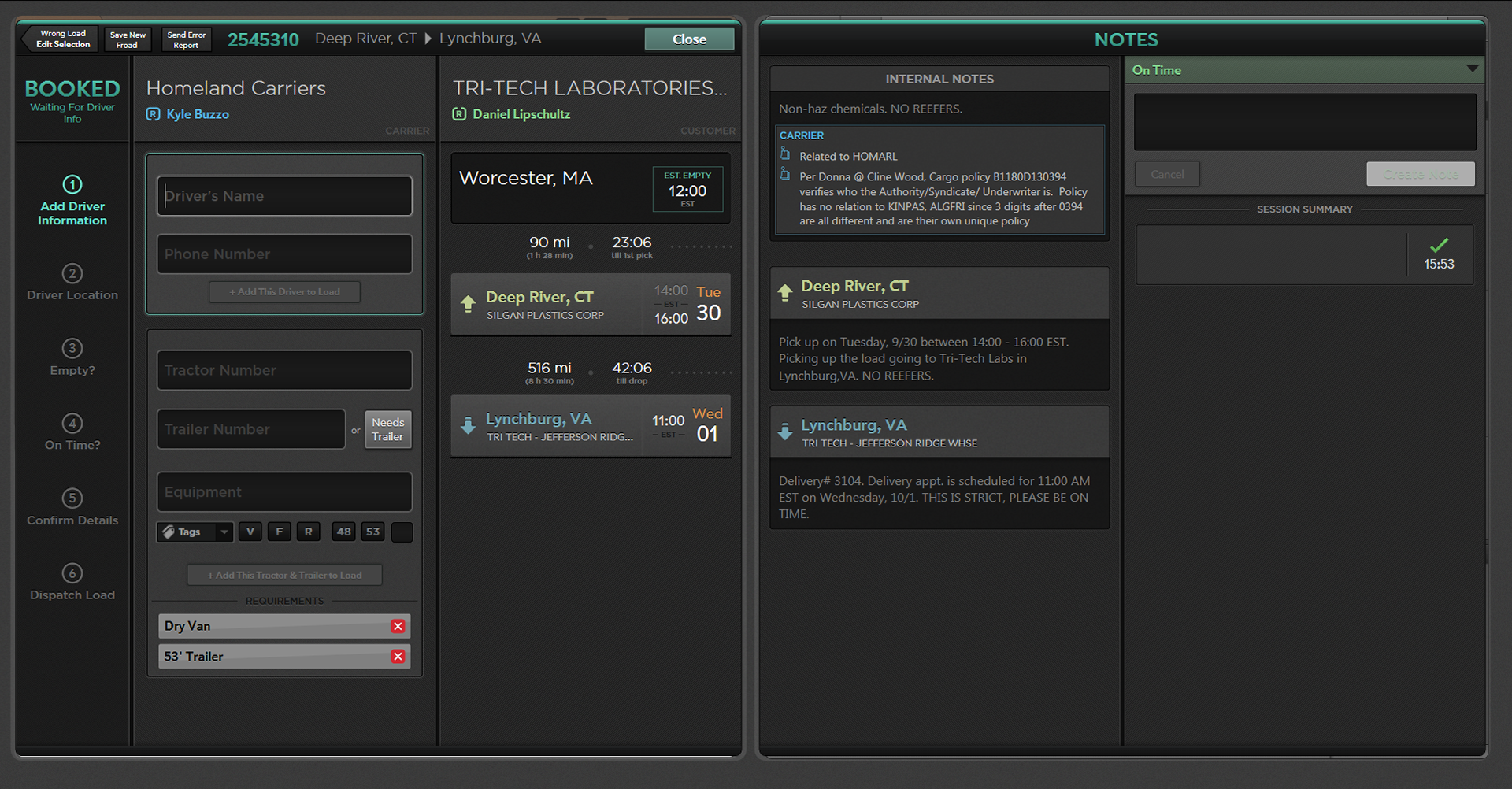
A guided execution workflow that captures critical steps, preserves an audit trail, and surfaces exceptions without adding friction.
We designed Dispatch as a guided, step-based workflow that balanced two needs:
Guardrails: ensure critical steps are completed and create an audit trail
Flexibility: support real-world outcomes like missing information or exceptions
The interface surfaced requirements at the moment of action, captured timestamped communication, and supported fast escalation with full context, including click-to-call.
Operations: Stay On Top of Everything
Triage → Drill-In → Return to Flow
Triage → Drill-In → Return to Flow
After booking, reps still needed a clear way to manage active loads: what changed, what needs attention, and what to do next.
I explored a configurable operations dashboard built around multiple parallel queues (e.g., All Loads, Today’s Loads, Needs Appointments), with row expansion and deep drill-in access without losing place.
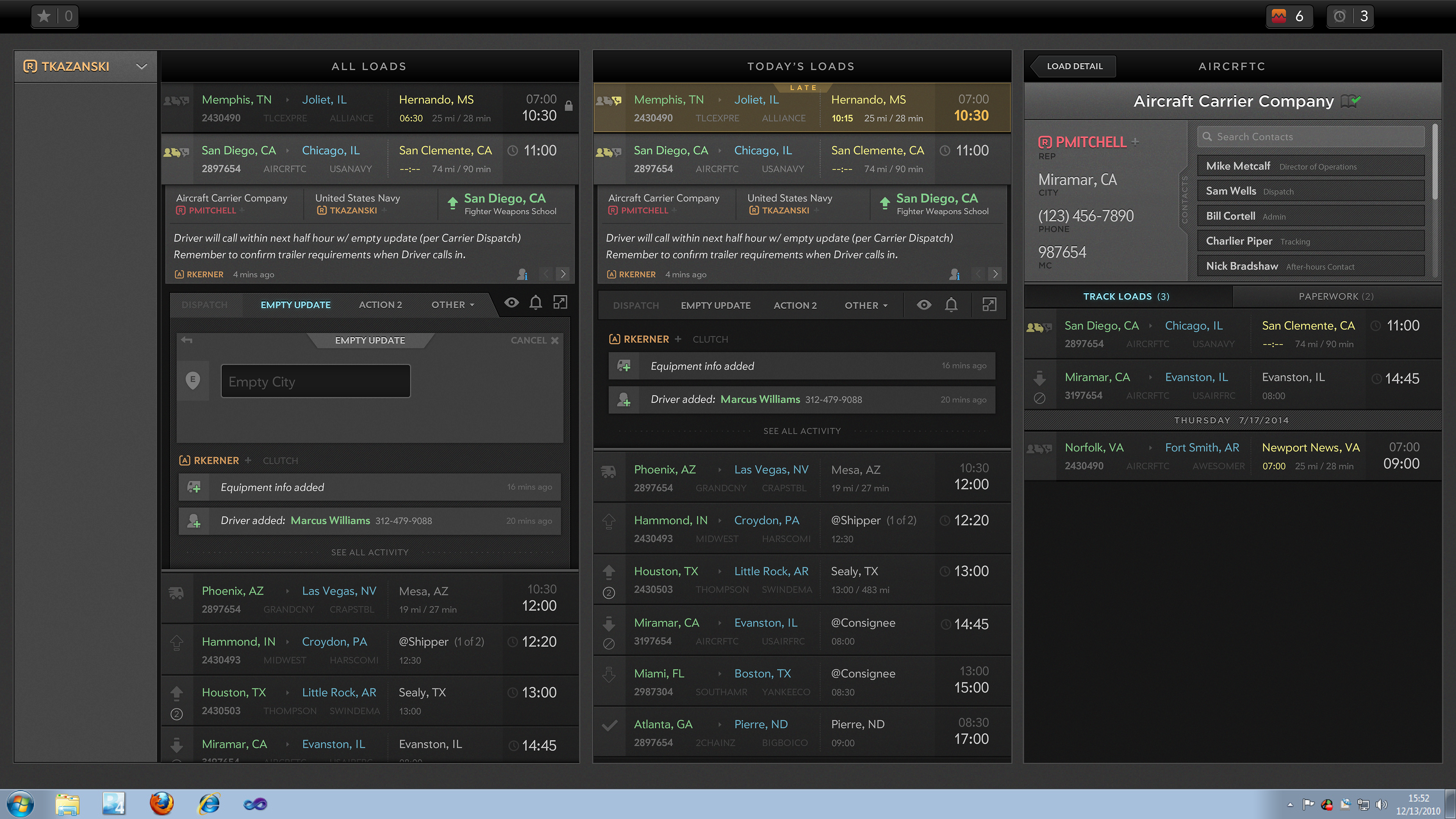
Key design moves:
Multi-queue layout: supports different mental models (time-based, issue-based, action-based)
Signal-rich list items: status, freshness, unread updates, and risk indicators
Drill-in without navigation churn: expand → review → drill-in → return to queue
Design principles that guided Clutch
Stay in flow: persistent context and drill-ins without losing place
Make ownership explicit: reduce collisions and enable fast handoffs
Turn data into decisions: history and matching as actionable guidance
Design for real operations: states, auditability, and exceptions are first-class